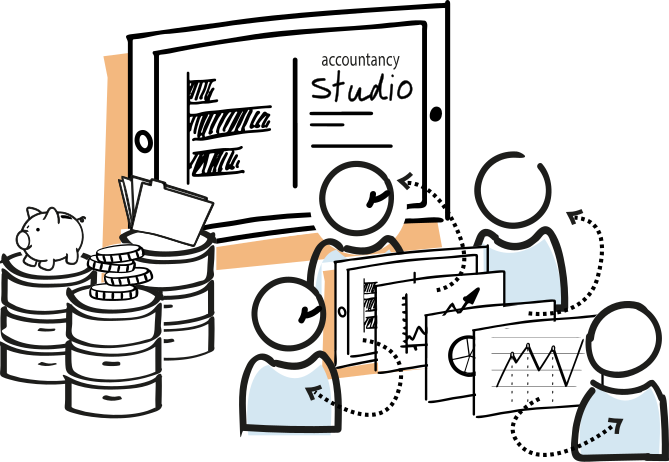
Finance presentation with charts on a screen during a meeting
For bookkeeping and accountancy firms

Datalab Accountancy Studio

Your firm holds mountains of financial, tax, payroll and client data. Datalab turns that into one reliable foundation: for internal management, timely alerts, scalable client advice, continuous audits and AI processes that genuinely fit your practice.

Where Accountancy Studio makes the difference

Accountancy Studio is not a standalone dashboard, but a modular data foundation that enables your firm to manage, alert, advise, audit and automate from the same reliable data.

What is Accountancy Studio?

Datalab Accountancy Studio brings data from administrations, payroll packages, tax sources, CRM, sales, ERP, audit files and office applications together in one manageable environment. Within it, we establish definitions, access rights, data quality and reusable data models.

On top of that, we build applications per need: firm management for partners and managers, alerts for teams, dashboards for client advice, continuous audit checks and AI or workflow automation. You can start small and add modules later without starting over.

Accountancy Studio in action

In ninety seconds we explain the full story: from scattered data sources to one reliable foundation for insight, control and advice.

Applications

What your firm can do with it

Five concrete applications that can all land on the same data foundation. You choose where to begin; the rest can follow modularly later.

1 Firm management

Overview of organisation, work in progress and commercial opportunities

Partners, managers and teams see the same up-to-date figures on capacity, productivity, turnaround times, work in progress and client portfolio. CRM, sales and administration data make visible where clients are growing, where advisory potential exists and which dossiers need attention.


2 Alerts

Improve internal processes before deviations grow

Continuously scan administrations for anomalies and missing coherence, such as a corporation tax charge that doesn't match the result or costs that are out of step. This shifts work from retrospective correction to timely intervention.

3 Client advice

Dashboards that go beyond the bookkeeping

Combine financial administration, payroll data, tax information and client data from CRM, sales, ERP or operational systems. This creates advice that doesn't just look back, but explains what's happening and which choice the entrepreneur can make now.

4 Continuous auditing

100% checks instead of sampling alone

Compare audit files, accounting systems and other sources automatically and repeatably. Anomalies, duplicate entries, missing documents and patterns surface faster than in manual sampling.

5 AI and automation

Chatbots and workflows based on reliable data

AI only becomes usable when definitions, access rights, sources and data quality are sound. Accountancy Studio lays that foundation for recurring dossier checks, draft advice, internal knowledge bases and reliable workflow automation.

Case study

De Administratie and BPO: data as the basis for advice

De Administratie wanted to bring client data from different systems together in one place to work more efficiently, reduce error margins and help entrepreneurs move forward. Together with BPO, this case shows how a solid data foundation strengthens the controller and advisory role of a modern firm.

What the case demonstrates

  • Data from bookkeeping, payroll administration, CRM and office applications is combined into one usable foundation.
  • A Quick Scan reveals which data streams are present, where quality is lacking and where processes can be smarter.
  • Dashboards, data extracts and benchmarking make client advice scalable and concrete.
  • BPO connects with the controller perspective: looking ahead, interpreting and helping entrepreneurs steer.
"During the inventory phase, not only did the efficiency improvements become visible, it also turned out we could reduce our error margins."
Raymond van Lier of De Administratie - Raymond van Lier, De Administratie

Other cases

For Van Wezel Accountants in Rijnsburg, Datalab handles data extraction from three bookkeeping systems (Exact Online, Twinfield and Multivers), payroll (Nmbrs), tax (FiscaalGemak) and office suite KantoorGemak. With their own BI team, Van Wezel builds a wide range of dashboards and analyses, both for internal use and for clients. AI is also deployed extensively to make internal processes more efficient.

For Bilanx, a fast-growing firm in the east of the Netherlands, the focus is on internal process improvement. Datalab connects various systems, including payroll (Nmbrs) and office suite Caseware AuditCase. With their own analysts on board, the firm builds dashboards primarily for internal use.

Bloemendaal Ruigrok is based in Pijnacker. They use data analysis for both internal and external analyses. Datalab provides the data platform with Exact Online, Loket, AFAS and more. Their own analysts build on the data model that Datalab developed.

Goedoporde.nl is a franchise chain with around twenty locations, handling administration for a large number of clients. Exact Online is the primary source, supplemented with client-specific sources. This enables Goedoporde.nl to perform analyses for clients that go beyond bookkeeping (which is mainly backward-looking): adding client sources such as sales and ERP packages helps with looking ahead.

Collaboration model

Three ways to realise Accountancy Studio

Not every firm has the same capacity, ambition or in-house data expertise. That's why we tailor our role to what you need: from technical building blocks to full guidance.

Optie #3

Complete programme

Datalab can guide the entire process: choosing use cases, unlocking sources, building dashboards and automation, onboarding users and continuing development.

  • Also suitable without an in-house data team
  • From initial scan to management and further development

How do we start?

From one concrete use case to a platform that can grow with your firm.

1.

Choose a goal

Together we choose one or a handful of valuable use cases - for example work-in-progress management, a client advisory dashboard or an anomaly check - and determine who will use the result.

Resultaat: a sharp scope.

2.

Scan sources

We map systems, exports, APIs, definitions, access rights and data quality.

Resultaat: visibility on feasibility.

3.

Build the foundation

We set up connections, data models, access rights and quality checks in a reusable way.

Resultaat: a reliable data foundation.

After step 3, the route splits

4a. Do it yourself

Your team builds onwards

Your team takes over development of dashboards, analyses and reports. Datalab remains responsible for the data warehouse, source connections and platform. We train your staff and remain available for review and deepening.

4b. Fully managed

Datalab handles delivery and management

We build dashboards, alerts, checks and automation for you. Staff receive training in daily use, while Datalab can handle management and further development.

In practice, many firms choose a mix: Datalab builds part of the dashboards and alerts, while your team develops other reports and analyses themselves.

Systems we connect

Datalab connects virtually all common accounting, payroll, tax and office systems. Is your package missing? We'll add a connection.

Accounting software

+ AFAS, Exact Globe and other systems

Virtually all common accounting packages are supported, including audit file integration.

Payroll software

+ other systems

Payroll data is combined with financial data for a complete picture of personnel costs and capacity.

Tax software

+ other systems

Tax data is automatically compared with the bookkeeping for faster checks.

CRM, ERP and office applications

+ other systems

We connect with common CRM and ERP systems, project management tools and other office applications relevant to your advisory or management processes.

Datalab is a partner of

Exact
Nmbrs
Loket
Frequently asked questions

Questions about Accountancy Studio

Practical answers about getting started, connecting systems, security and collaboration.

Is Accountancy Studio only suitable for large firms?

No. Large firms benefit from scale, governance and repeatable data models, but smaller firms can start in a targeted way with one source, one dashboard or one alert. The platform grows with your firm's ambition and capacity. Also read how we build programmes manageably in our approach.

Can we just purchase the tooling?

Yes. Datalab can deliver just the technical foundation, connections and tooling. We can also co-build with your team or guide the full programme including adoption and further development. For the technical basis, this often connects to our data warehouse setup service. Want someone with financial data expertise alongside your team temporarily? See our financial data consultant.

Which systems can you connect?

We connect with common accounting, payroll, CRM, ERP and reporting systems, including Exact, Visma, AFAS, Twinfield, Nmbrs, Caseware, Microsoft Dynamics 365 and many other sources. Where standard connections are unavailable, we assess whether an API, export, audit file or custom connector is the best route. See for example our source pages for Exact Online, AFAS and Nmbrs.

How do we prevent dashboards showing different truths?

By first properly establishing definitions, access rights, data quality and data models. Accountancy Studio is not a collection of standalone reports, but a data foundation where KPIs, client groups and checks are consistently reused. This connects to our approach for DBT and data modelling and Dashboards & BI.

Can we safely deploy AI in accountancy processes?

Yes, provided the foundation is sound. Datalab helps with scoping, data quality, access rights and auditability. This way chatbots and automation can support without sensitive client data circulating uncontrolled. See also our services around process automation and the ethical framework.

What does Accountancy Studio deliver for internal firm management?

You get one up-to-date picture of capacity, productivity, turnaround times, work in progress and commercial opportunities. This means partners and managers can steer on the same figures rather than on separate exports or interpretations.

Which alerts are interesting for an accountancy firm?

Think of unusual cost developments, missing coherence between profit and tax burden, dossiers without recent activity, notable transactions or clients falling outside a benchmark. Together we determine which signals are substantively relevant and practically actionable.

How does Accountancy Studio help with client advice?

By combining bookkeeping, payroll data, tax information and client data from CRM or ERP, advice emerges that goes beyond standard reports. You can discuss trends, margins, staffing pressure, cash flow or sales development more concretely with the entrepreneur.

What does continuous auditing mean in this solution?

Continuous auditing means checks are performed repeatably and data-driven on larger datasets. Instead of sampling alone, Accountancy Studio compares audit files, accounting systems and other sources for anomalies, duplicate entries or missing documents.

Where can AI or process automation be concretely deployed?

Examples include internal knowledge base functions, draft advice, dossier checks, workflow steps, alerts with follow-up actions and summaries of client information. The prerequisite is that definitions, access rights and data quality are properly set up.

How quickly can we start?

That depends on the sources and the first use case. Usually we start with a short inventory, after which we plan a compact first delivery and then expand iteratively. Often we're well under way within a few weeks.

What does Accountancy Studio cost?

We can start small - for example with one source and one dashboard - and expand from there. Datalab works with a clear, fixed monthly fee so costs remain predictable. In a no-obligation conversation we discuss what suits your situation. Schedule a call.

Discover what Accountancy Studio can do for your firm

Start small with one use case or discuss a complete data programme for your firm straight away.

Schedule a call